
Searching for a CCTV camera feed while away from home or the office is one of the main reasons people look for the gCMOB App. Instead of relying only on a monitor connected to a recorder, users can access supported CP PLUS surveillance devices from a mobile phone. The app is designed for viewing live camera streams, checking recordings and managing several surveillance functions remotely.
The official Google Play listing identifies gCMOB as a CP PLUS application developed by Aditya Infotech Ltd. Its current listing includes support for CP PLUS DVRs, NVRs, IP cameras and video encoders, although the exact features available can depend on the connected device and its configuration.
What makes gCMOB useful for CCTV monitoring?
The main purpose of the gCMOB App is remote surveillance. Once a compatible device has been added, users can view live footage from connected cameras without being physically present near the recorder.
This can be useful in several everyday situations. A shop owner may want to check the store after closing, a homeowner may want to see what is happening around the property or a business manager may need to check multiple cameras from another location. The app brings these viewing controls onto a smartphone rather than making the user depend on a dedicated surveillance screen.
It also supports multiple-camera viewing. The current app listing states that live preview can be divided into layouts supporting up to 16 views. Users can also move between sets of cameras when monitoring larger installations.
Key features available in the app
gCMOB combines live monitoring with several controls that can be useful for day-to-day CCTV management.
- Live view: Users can watch camera feeds from compatible surveillance devices through their phone. This is the feature most people use when they simply want to check a property remotely.
- Playback: The app supports playback from recorders and IPC devices. It also lists four-channel playback, allowing users to review recordings from multiple channels rather than checking only one camera at a time.
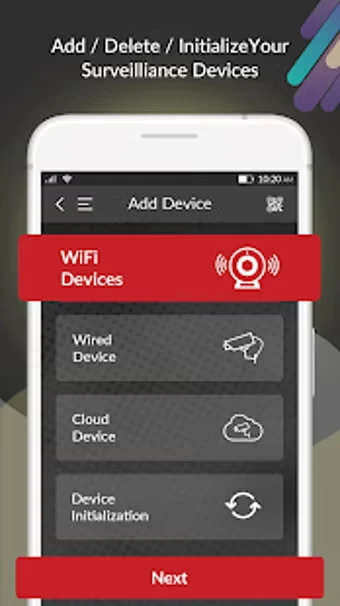
- QR-code device addition: Adding a compatible device can be simplified through QR-code scanning. This is particularly useful when manually entering long device information would be inconvenient.
- Digital zoom: Live video can be digitally enlarged when users need a closer look at something visible within the camera frame. Digital zoom does not create additional camera detail, so the result still depends on the original video quality.
- PTZ control: Supported PTZ cameras can be controlled remotely. Depending on the equipment, this can allow the user to change the camera’s viewing direction or adjust its position.
- Push notifications: The app supports push notifications, which can help alert users when configured surveillance events occur.
- Two-way talk: Compatible equipment can use two-way audio, allowing communication through supported cameras or related devices.
- Remote configuration: Some device settings can be managed remotely through the application. The options available will vary according to the recorder or camera model.
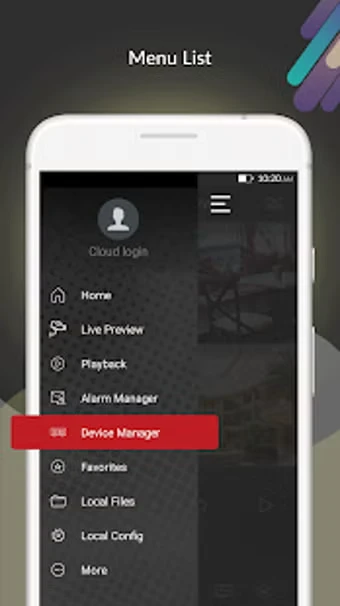
The app also lists features such as main/sub-stream switching, favorite-camera management, basic device health information, video door phone support and picture-in-picture viewing.
How do you add a camera to gCMOB APK?
The process depends on the CP PLUS equipment and network setup, but the general workflow is straightforward. Install the official application, open it and use the device-add option. Supported devices can be added by scanning a QR code or by entering the required device information manually.
Before expecting remote viewing to work, check that the recorder or camera is online and that its network settings are correctly configured. The phone also needs a working internet connection when accessing a device remotely.
A common mistake is assuming that installing the app automatically connects every CP PLUS camera. The application is a monitoring client, not a replacement for the physical recorder, camera configuration or network connection. If the device itself is offline, the app cannot magically restore the connection.
Why might live view or playback fail?
Connection problems are among the practical issues users may encounter with CCTV viewing apps. A camera can work perfectly on the local network but fail when accessed remotely because of internet connectivity, device configuration or compatibility problems.
The current Google Play listing also contains user reports describing difficulties with mobile-data access and playback connections. These are user-reported experiences rather than evidence that every installation has the same problem, but they show why troubleshooting should consider both the app and the surveillance system.
If gCMOB is not connecting, start with the basics: confirm that the recorder is online, check the phone’s internet connection, verify that the device credentials are correct and make sure the recorder or camera firmware is compatible with the app version. Updating the application can also matter because software changes may affect device communication.
CP PLUS’s app listing specifically advises users experiencing access problems after an update to contact its support team with details such as the DVR, NVR or IPC firmware version. You can also download the My Tools Town APK.
Is gCMOB suitable for every CCTV system?
No. Compatibility should be checked before choosing the application. gCMOB APK is intended for supported CP PLUS surveillance equipment rather than being a universal CCTV viewer for every manufacturer.
It is also worth checking the capabilities of the actual camera system. A basic fixed camera will not suddenly gain PTZ functionality or two-way communication simply because the mobile application supports those features. The app can expose functions that the connected hardware already supports, but it cannot add physical capabilities that the equipment does not have.
Security deserves attention too. Use strong device passwords, keep supported firmware and applications updated and avoid sharing surveillance credentials unnecessarily. The current Play Store listing says the developer declares that data is encrypted in transit and that users can request deletion of their data.
For someone who already has compatible CP PLUS cameras, the gCMOB App can be a practical way to bring live viewing, recording playback, and selected remote controls to a smartphone. The most important step is not simply installing the application but confirming device compatibility, network access and the features supported by the specific CCTV equipment.

![SexVid APK Download for Android [No ads]](https://apkpure.co.in/wp-content/uploads/2026/09/SexVid-ICON-96x96.png)